Add a Scale
A scale is the extent to which the map is zoomed in or out on a location.
-
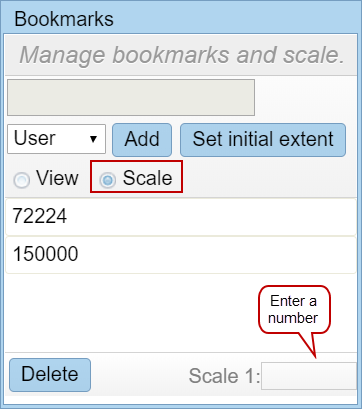
- Select Scale.
- Navigate the map to the desired scale, or enter a number in the text box. If you enter a number, the map zooms in or out to the scale you entered.
-