Create a New Tab
New domain and user tabs can be created when needed.
- Click New Tab.

- Select Domain Tab or User Tab.
 NOTE: Only domain administrators can see the Domain Tab option.

- Click the edit icon on the new tab.
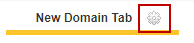
- Update the name of the tab.
- Click Close when the desired changes have been made.

See Create a New Panel or Add a Column to finish configuring the inbox.
NOTE: Inbox tabs are now two colors. Domain tabs are gray, while user tabs are blue.